







The tech hardware landscape is a constantly evolving realm, with new innovations and advancements emerging at a breakneck pace. From the smartphones in our pockets to the powerful servers that power the internet, understanding the fundamentals of tech hardware is crucial for anyone seeking to navigate the modern digital world. This comprehensive guide delves into the key components, trends, and considerations surrounding tech hardware, equipping you with the knowledge to make informed decisions and stay ahead of the curve.
Understanding Core Components of Tech Hardware
Central Processing Units (CPUs)
- The CPU, often referred to as the “brain” of a computer, is responsible for executing instructions and performing calculations.
- Key factors to consider:
Clock Speed (GHz): Indicates how quickly the CPU can execute instructions. Higher clock speeds generally mean faster performance, but this isn’t the only factor.
Number of Cores: Multiple cores allow the CPU to handle multiple tasks simultaneously, improving multitasking capabilities. Common configurations include dual-core, quad-core, and octa-core CPUs.
Cache Size: A small amount of fast memory that the CPU can access quickly, improving performance by storing frequently used data.
Integrated Graphics: Some CPUs include integrated graphics, which can be sufficient for basic tasks and light gaming.
- Example: The Intel Core i9-13900K is a high-end CPU known for its exceptional performance in demanding tasks like video editing and gaming, due to its high core count and clock speed.
Memory (RAM)
Random Access Memory (RAM) is volatile memory that stores data and instructions that the CPU is actively using. The more RAM you have, the more applications you can run simultaneously without experiencing performance slowdowns.
- Key factors to consider:
Capacity (GB): The amount of RAM available. 8GB is generally sufficient for basic use, while 16GB or more is recommended for demanding tasks like gaming and content creation.
Speed (MHz): The speed at which the RAM can transfer data. Faster RAM can improve performance, especially in memory-intensive applications.
Type (DDR4, DDR5): Newer RAM types like DDR5 offer faster speeds and improved efficiency compared to older types like DDR4.
- Example: 16GB of DDR5 RAM running at 5200MHz provides ample memory and fast data transfer speeds for gaming and other demanding applications.
Storage Devices
- Storage devices are used to store data permanently, even when the power is off.
- Types of storage devices:
Hard Disk Drives (HDDs): Traditional mechanical storage devices that store data on spinning platters. HDDs are generally more affordable and offer higher capacities, but they are slower than SSDs.
Solid State Drives (SSDs): Use flash memory to store data, offering significantly faster read and write speeds compared to HDDs. SSDs are more expensive per gigabyte but provide a much more responsive user experience.
NVMe SSDs: A type of SSD that uses the NVMe (Non-Volatile Memory Express) protocol, which allows for even faster data transfer speeds than traditional SATA SSDs. These often utilize the M.2 form factor.
- Example: A 1TB NVMe SSD offers a balance of capacity and speed, making it a popular choice for operating systems, applications, and frequently accessed files.
Graphics Cards (GPUs)
- GPUs are specialized processors designed to handle graphics-intensive tasks, such as gaming, video editing, and 3D rendering.
- Key factors to consider:
Video Memory (VRAM): The amount of memory dedicated to the GPU. More VRAM is beneficial for handling high-resolution textures and complex scenes.
Clock Speed: The speed at which the GPU can process data.
CUDA Cores/Stream Processors: A measure of the GPU’s processing power. More cores generally result in better performance.
Ray Tracing Support: A technology that simulates the behavior of light in real-time, creating more realistic and immersive graphics.
- Example: The NVIDIA GeForce RTX 4080 is a high-end GPU capable of delivering exceptional performance in gaming and other graphics-intensive applications, thanks to its large VRAM, high clock speeds, and ray tracing support.
Key Peripherals and Input Devices
Monitors and Displays
- Monitors and displays are essential for visualizing the output from your computer.
- Key factors to consider:
Resolution: The number of pixels displayed on the screen. Higher resolutions (e.g., 1920×1080, 2560×1440, 3840×2160) offer sharper and more detailed images.
Refresh Rate (Hz): The number of times the screen updates per second. Higher refresh rates (e.g., 144Hz, 240Hz) result in smoother motion, especially in fast-paced games.
Panel Type (IPS, VA, TN): Each panel type has its own strengths and weaknesses in terms of color accuracy, viewing angles, and response time.
- Example: A 27-inch 1440p monitor with a 144Hz refresh rate and an IPS panel offers a good balance of image quality and performance for gaming and productivity.
Keyboards and Mice
- Keyboards and mice are the primary input devices for interacting with your computer.
- Keyboards:
Mechanical Keyboards: Use individual mechanical switches under each key, providing a more tactile and responsive typing experience.
Membrane Keyboards: Use a membrane layer under the keys, which is generally less expensive but also less durable and responsive.
- Mice:
Optical Mice: Use an LED or laser to track movement.
Wireless Mice: Offer greater freedom of movement but require batteries or charging.
- Example: A mechanical keyboard with Cherry MX Brown switches provides a tactile and comfortable typing experience, while a wireless optical mouse offers freedom of movement and precise tracking.
Audio Hardware
- Audio hardware includes speakers, headphones, and microphones.
- Key factors to consider:
Frequency Response: The range of frequencies that the audio hardware can reproduce.
Impedance: The resistance of the audio hardware to electrical current.
Connectivity: The type of connection used (e.g., USB, 3.5mm jack, Bluetooth).
- Example: A pair of studio-quality headphones with a wide frequency response and low impedance can provide accurate and detailed sound reproduction for music production and critical listening.
Trends in Tech Hardware
Miniaturization and Portability
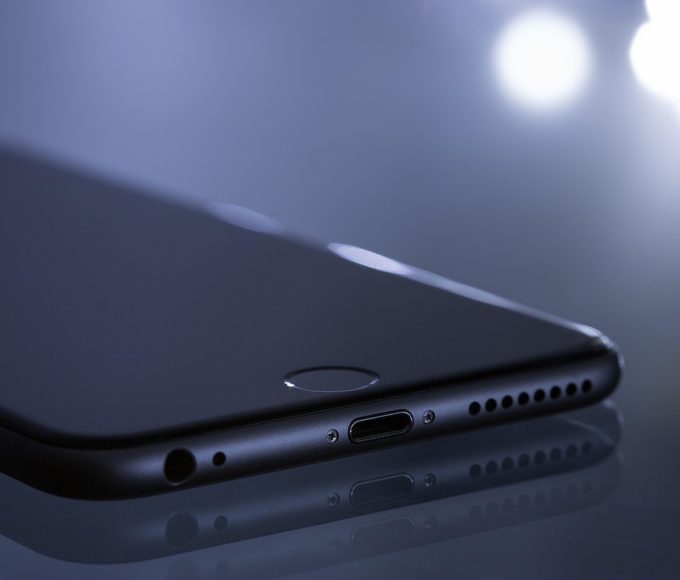
- There’s a growing trend towards smaller and more portable devices, such as laptops, tablets, and smartphones.
- Advances in technology have allowed manufacturers to pack more power into smaller form factors.
- Example: Ultraportable laptops like the Dell XPS 13 offer powerful performance in a lightweight and compact design.
Artificial Intelligence (AI) Integration
- AI is increasingly being integrated into tech hardware, enabling features like:
Facial Recognition: Used for unlocking devices and authenticating users.
Voice Assistants: Allow users to control devices and access information using voice commands.
* AI-Powered Image Processing: Improves image quality and enhances photography capabilities.
- Example: Smartphones with AI-powered image processing can automatically optimize camera settings and enhance photos.
Sustainability and Eco-Friendliness
- There’s a growing demand for sustainable and eco-friendly tech hardware.
- Manufacturers are exploring ways to reduce their environmental impact by using recycled materials, designing more energy-efficient devices, and implementing responsible disposal practices.
- Example: Some laptop manufacturers are using recycled aluminum and plastic in their products to reduce their carbon footprint.
Considerations When Choosing Tech Hardware
Budget
- Determine your budget before you start shopping for tech hardware.
- Consider the trade-offs between price and performance.
- Look for deals and discounts to get the best value for your money.
Intended Use
- Consider how you will be using the tech hardware.
- Choose components that are well-suited for your specific needs.
- Example: If you plan to use your computer primarily for gaming, you’ll need a powerful CPU, GPU, and plenty of RAM.
Compatibility
- Ensure that all of your components are compatible with each other.
- Check the specifications of each component to ensure that it meets the requirements of your system.
- Example: Make sure that your RAM is compatible with your motherboard and that your power supply has enough wattage to support all of your components.
Conclusion
Understanding the core components, trends, and considerations surrounding tech hardware is crucial for making informed decisions in today’s digital world. From CPUs and RAM to storage devices and GPUs, each component plays a vital role in the overall performance of your system. By carefully considering your budget, intended use, and compatibility, you can choose tech hardware that meets your specific needs and provides a satisfying user experience. As technology continues to evolve, staying informed about the latest advancements will help you stay ahead of the curve and make the most of the digital world.










Leave a comment